
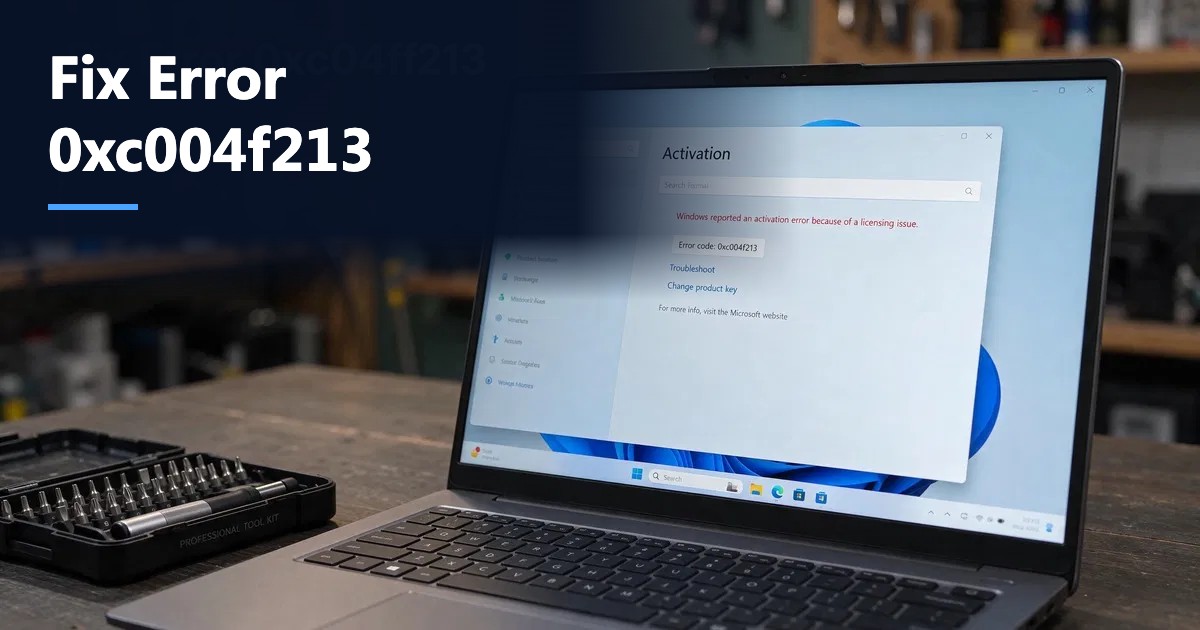
Short answer: Error 0xC004F213 means “Windows reported that no product key was found on your device.” Windows cannot find a license for the current hardware, usually after a motherboard replacement, a reinstall of a different edition than the one in your firmware, or a fresh install without entering a key. Fix it by running the Activation troubleshooter and choosing “I changed hardware on this device recently”, or by entering a valid product key in Settings > System > Activation > Change product key (or with slmgr /ipk then slmgr /ato).
The 0xc004f213 error appears in Settings > System > Activation with the message above, together with an “Activate Windows” watermark. It is one of the most common activation errors on Windows 11 and Windows 10, and in most cases you can fix it yourself in a few minutes. This guide explains each cause, how to tell which one applies to you, and the exact steps to resolve it.
What error 0xc004f213 actually means
When Windows activates, Microsoft’s activation service matches your PC’s hardware ID with a license. That license comes from one of three places:
- A digital license stored on Microsoft’s servers for this hardware (common after a free upgrade)
- A product key embedded in the firmware (most branded laptops and desktops ship with an OEM key in the BIOS/UEFI)
- A product key you entered manually
Error 0xc004f213 means none of these produced a valid license for the hardware and edition currently installed.
The five most common causes
| Cause | Typical situation | Quick test |
|---|---|---|
| Hardware change | New motherboard, CPU and board swap, or a repaired laptop | Did you replace the motherboard recently? |
| Edition mismatch | Firmware key is for Home, but Pro is installed (or the reverse) | Compare the firmware key edition with the installed edition |
| Clean install without a key | You skipped “I don’t have a product key” during setup | No key was ever entered |
| Digital license not linked to an account | License existed but cannot be recovered after hardware change | Settings did not show “linked to your Microsoft account” |
| Blocked or invalid key | Key was revoked or never valid | slmgr /ato returns a different error code |
Step 1: Check which edition your firmware key belongs to
Many PCs have an OEM key in the UEFI firmware. If you installed a different edition, Windows ignores that key and shows 0xc004f213.
Open PowerShell and run:
(Get-CimInstance SoftwareLicensingService).OA3xOriginalProductKeyDescription
The result tells you the edition the firmware key is for, for example “[4.0] Core OEM:DM” (Core means Home) or “Professional OEM:DM” (Pro).
Then check the installed edition in Settings > System > About under Windows specifications.
If they differ: either install the edition that matches the firmware key (reinstall Home if the key is for Home), or buy a license for the edition you want. Moving from Home to Pro does not require a reinstall; a Windows 11 Home to Pro upgrade key changes the edition in place.
Step 2: Run the Activation troubleshooter after a hardware change
If you replaced the motherboard and your license was a digital license linked to your Microsoft account:
- Sign in to Windows with an administrator account.
- Open Settings > System > Activation.
- Select Troubleshoot.
- Choose I changed hardware on this device recently.
- Sign in with the Microsoft account the license was linked to.
- Pick this device from the list, tick This is the device I’m using right now and select Activate.
Microsoft explains the process in its guide to reactivating Windows after a hardware change.
Important limitation: OEM licenses that came preinstalled on a branded PC are licensed to that original device. After a motherboard replacement outside the manufacturer’s warranty, the troubleshooter may not reactivate an OEM license, and a new license is usually required. Retail licenses can be moved.
Step 3: Enter a product key manually
If you have a valid 25-character key for the installed edition:
- Go to Settings > System > Activation.
- Select Change product key.
- Enter the key and select Next, then Activate.
Or use Command Prompt as administrator:
slmgr /ipk XXXXX-XXXXX-XXXXX-XXXXX-XXXXX
slmgr /ato
The first command installs the key; the second activates it online. If activation succeeds, a dialog confirms “Product activated successfully.”
Step 4: Check your connection and date settings
Online activation fails if Windows cannot reach Microsoft’s servers:
- Confirm you are online and that a firewall, VPN or proxy is not blocking Microsoft activation endpoints.
- Make sure the date, time and time zone are correct (Settings > Time & language).
- Retry slmgr /ato after fixing the connection.
Step 5: Try phone activation
If online activation keeps failing with a valid key:
- Press Win + R, type slui 4 and press Enter.
- Choose your country or region.
- Follow the automated phone instructions using the installation ID shown on screen.
- Enter the confirmation ID you receive.
Phone activation is useful in offline environments. For Office products, our guide on getting a confirmation ID shows a similar process.
Step 6: Contact the key seller or Microsoft
If none of the above works:
- Bought the key from a reseller? Contact them with the error code, the output of slmgr /dli and a screenshot of the Activation page. A reputable seller replaces keys that fail to activate.
- Preinstalled OEM license? Contact the PC manufacturer, especially after a warranty repair.
- Retail license from Microsoft? Contact Microsoft support through the Get Help app.
Three typical scenarios and how to solve them
The situations below are illustrative examples of how the error usually arises, not individual customer cases.
A gaming PC after a motherboard upgrade. The owner upgraded from Windows 10 for free, and the digital license is linked to their Microsoft account. After a new motherboard goes in, Settings shows 0xc004f213. Running the troubleshooter, choosing “I changed hardware on this device recently” and selecting the old device name typically reactivates Windows.
A business laptop reinstalled with Pro. The laptop shipped with Windows 11 Home, and IT reinstalls it from Pro media. The firmware key is for Home, so Windows reports no key. The fix is either reinstalling Home, or buying a Pro upgrade key and entering it, which also unlocks BitLocker management and domain join.
A new self-built PC. The builder skips the product key during setup, planning to add it later. Entering the retail key in Settings and selecting Activate resolves it.
Quick decision guide
- Did you replace the motherboard? Use the hardware-change troubleshooter. OEM license and no success? Buy a new license.
- Is the installed edition different from the firmware key edition? Reinstall the matching edition or buy a license for the edition you want.
- Did you never enter a key? Enter your key in Settings or with slmgr /ipk and slmgr /ato.
- Still failing with a valid key? Check the connection and date, then try phone activation with slui 4.
- Still failing? Contact your seller or the PC maker with the error code and slmgr /dli output.
How to prevent 0xc004f213 in the future
- Link your license to your Microsoft account while Windows is activated (Settings > Accounts, then sign in with a Microsoft account).
- Write down your product key and keep it with your invoice.
- Install the same edition your key or firmware license is for.
- Choose retail licenses for PCs you expect to upgrade, because OEM licenses are tied to the original device. See OEM vs Retail Windows 11.
- Check activation after every reinstall using our guide on how to check if Windows is activated.
Related activation errors
| Error code | Meaning | Usual fix |
|---|---|---|
| 0xC004F213 | No product key found on the device | Troubleshooter after hardware change, or enter a key |
| 0xC004C003 | Product key blocked or invalid | Use a different valid key; contact the seller |
| 0x803F7001 | No valid license found after reinstall | Enter a key or reactivate with your Microsoft account |
| 0xC004F050 | The product key is invalid | Check for typos and edition match |
| 0x8007232B | DNS name does not exist (volume activation) | Volume keys need a KMS server; use MAK or a retail key |
Common mistakes
- Reinstalling the wrong edition because Setup picked one automatically. Choose the edition that matches your license.
- Using a Windows 10 or 11 “generic key” and expecting it to activate. Generic keys only install an edition; they never activate it.
- Running scripts or “activators” from the internet. They can install malware and do not provide a valid license.
- Expecting an OEM license to move to a completely new PC.
Final takeaway
Error 0xc004f213 is almost always a mismatch between your hardware, your edition and your license, not a broken PC. Check the firmware key edition, run the hardware-change troubleshooter if you replaced the motherboard, and enter a valid key for the installed edition if you have one. Linking your license to a Microsoft account prevents most repeats.
Frequently asked questions
What does error 0xc004f213 mean?
It means Windows reported that no product key was found on your device. Windows cannot find a digital license, firmware key or entered key that is valid for the current hardware and installed edition.
How do I fix 0xc004f213 after replacing my motherboard?
Open Settings > System > Activation, select Troubleshoot and choose I changed hardware on this device recently, then sign in with the Microsoft account the license was linked to. OEM licenses may not transfer, in which case a new license is needed.
Can I fix 0xc004f213 without a product key?
Only if your PC has a digital license or firmware key for the installed edition. Reinstalling the matching edition, or reactivating with the Microsoft account linked to your digital license, can fix it without entering a key.
Why does Windows say no product key was found when my laptop came with Windows?
The installed edition probably does not match the firmware key. For example, the firmware key is for Windows Home but Windows Pro is installed. Reinstall the matching edition or buy a license for the edition you want.
Does 0xc004f213 affect Microsoft Office?
No. Office uses a separate license. Check Office activation under File > Account in any Office app.