
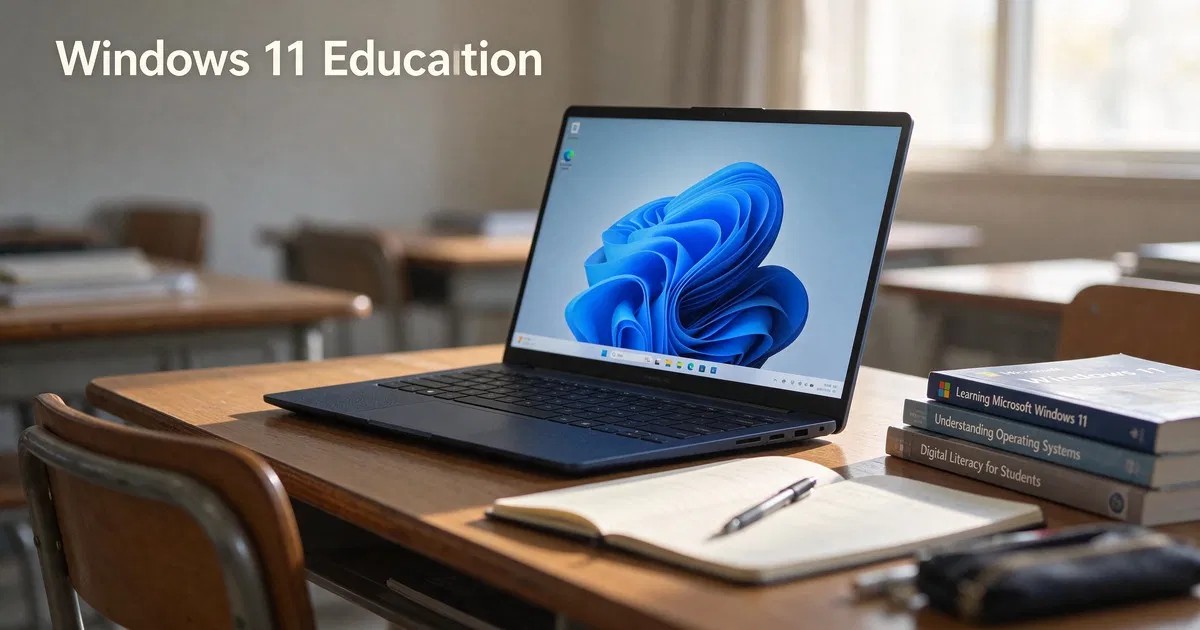
Short answer: Windows 11 Education is the edition Microsoft builds for schools and universities. It shares the Windows 11 Enterprise feature set, including Credential Guard, application control, education themes and multi-app kiosk mode, and is normally licensed to academic institutions through volume licensing or a Microsoft 365 Education subscription. A perpetual (non-subscription) Education key stays activated on the device it activates; subscription-based Education stays active only while the subscription does.
If you searched “Windows 11 Education” you probably want one of three things: to know what the edition is, whether it is better than Pro, or whether the license lasts forever. This guide answers all three, with the eligibility rules spelled out so you can buy and activate the right edition the first time.
What is Windows 11 Education?
Windows 11 Education is one of the Windows 11 editions Microsoft publishes for the academic market. Technically it is very close to Windows 11 Enterprise: same kernel, same management tools, and the same advanced security features, plus defaults suited to classrooms. Microsoft describes Education and Enterprise together in its Windows for education guide.
There are three education-related editions, and they are easy to confuse:
| Edition | Built on | Typical buyer | How it is usually licensed |
|---|---|---|---|
| Windows 11 Education | Enterprise feature set | Schools, colleges, universities | Academic volume licensing or Microsoft 365 A3/A5 subscription |
| Windows 11 Pro Education | Pro feature set plus education features | K-12 schools buying devices | Preinstalled on education devices or upgraded from Pro |
| Windows 11 SE | Cloud-first, locked-down | Low-cost K-8 student laptops | Preinstalled only; cannot be bought separately |
Windows 11 Pro Education can be stepped up to Windows 11 Education through subscription activation when a school has eligible Microsoft 365 licenses.
What Windows 11 Education includes that Pro does not
Everything in Windows 11 Pro is also in Education: BitLocker, Hyper-V, Remote Desktop hosting, Group Policy, domain and Microsoft Entra ID join, and Windows Update for Business. Education adds enterprise-grade controls:
- Credential Guard, which isolates sign-in secrets using virtualization-based security
- App control policies (AppLocker and Windows Defender Application Control) to allow only approved software
- Multi-app kiosk mode and a customizable Start layout for shared classroom PCs
- Education themes and classroom-friendly defaults, with fewer consumer suggestions and tips
- More control over diagnostic data, letting administrators set it to the minimum level allowed
- Eligibility for Enterprise-only management features that Microsoft rolls out over time
For a side-by-side table, read Windows 11 Education vs Pro.
Who can use Windows 11 Education?
This is the part most product pages skip. Microsoft’s academic licensing is designed for qualified educational users: accredited schools, colleges and universities, their faculty and staff, and in some programs their students. Licensing usually comes through:
- Microsoft 365 A3 or A5 subscriptions, which include Windows Education upgrade rights
- Academic volume licensing agreements arranged through a Microsoft partner
- Education devices that ship with Pro Education and are later stepped up
If you are a home user, a freelancer or a company that is not an educational institution, Windows 11 Pro is the edition designed for you. Running an academic edition outside its intended audience can conflict with Microsoft’s license terms, so check your eligibility before you buy.
Is a Windows 11 Education license permanent?
It depends on how the license was granted:
| License type | Does it expire? | What happens at the end |
|---|---|---|
| Perpetual Education product key | No | Windows stays activated on that device |
| Microsoft 365 A3/A5 subscription activation | Yes, with the subscription | Device steps down to Pro Education |
| Volume license through KMS | Needs periodic contact with the school’s KMS host | Reactivation every 180 days on the school network |
| Student offer through a school portal | Depends on the program | Read the program terms |
So the answer to “is a Windows 11 Education license permanent?” is: a perpetual key is, a subscription is not. A perpetual key activates once and remains activated for the life of that installation on that hardware. Feature updates still follow Microsoft’s servicing schedule, which brings us to the next point.
How long is Windows 11 Education supported?
Windows 11 uses the Modern Lifecycle Policy. Each annual feature update (for example 23H2, 24H2, 25H2) is supported for 36 months on Enterprise and Education, compared with 24 months on Home and Pro. You stay supported by installing newer feature updates through Windows Update. Microsoft lists the dates on its Windows 11 Enterprise and Education lifecycle page. For example, version 23H2 for Enterprise and Education reached end of servicing on November 10, 2026.
Windows 11 Education price: what to expect
Microsoft does not publish a single retail price for Windows 11 Education because it is sold mainly through institutional agreements. Schools typically pay per device or per user as part of an academic agreement. For individual eligible buyers, the price of a perpetual Education key from a reseller is usually lower than retail Windows 11 Pro. Compare the license type (perpetual vs subscription) as well as the price.
How to activate or switch to Windows 11 Education
You do not need to reinstall Windows to move from Pro to Education:
- Back up your files and confirm Windows 11 Pro is activated.
- Open Settings > System > Activation.
- Select Change product key and enter the 25-character Education key.
- Windows applies the edition change and restarts. Your apps and files stay in place.
- Return to Settings > System > Activation and confirm it shows Windows 11 Education and Active.
If you are starting from Windows 11 Home, upgrade to Pro first or perform a clean installation with Education media. After switching, check that activation succeeded using our guide on how to check if Windows is activated.
Hardware requirements
Windows 11 Education has the same minimum requirements as every Windows 11 edition: a supported 64-bit processor, 4 GB RAM, 64 GB storage, UEFI with Secure Boot capability and TPM 2.0. See Microsoft’s Windows 11 specifications.
Windows 11 Education vs Windows 11 Pro for home users
For a personal PC, Education’s extra features rarely matter. Credential Guard and application control are powerful, but they are managed through Group Policy or Intune and are designed for IT administrators. What most home users need, such as BitLocker, Remote Desktop and Hyper-V, is already in Pro. If you need more performance features for high-end hardware, look at Windows 11 Pro for Workstations.
Three real-world scenarios
A school computer lab with 30 shared PCs. Education is the natural fit. Multi-app kiosk mode limits students to approved apps, application control blocks unapproved installers, and the school’s Microsoft 365 Education subscription can step devices up automatically.
A university lecturer’s personal laptop. If the university’s agreement extends Windows Education rights to staff, a perpetual Education key or the school’s portal offer is a good choice. If not, Windows 11 Pro is simpler and fully supported.
A small business with five office PCs. Choose Windows 11 Pro. It provides BitLocker, Remote Desktop and domain join, and its license terms are written for commercial use. Education’s extra controls would add complexity without a matching license entitlement.
Common mistakes with Windows 11 Education
- Confusing Education with Pro Education. Pro Education lacks most Enterprise security features.
- Buying an Education key for a business that is not an academic institution. Choose Pro or Enterprise instead.
- Assuming a school subscription license is permanent. It steps down when the subscription ends.
- Skipping the activation check. Always confirm the edition and activation status after entering a key.
- Forgetting feature updates. A permanent license does not mean a version is supported forever; install each annual update.
Final takeaway
Windows 11 Education is Enterprise-class Windows for academic institutions. If you are an eligible school, staff member or student, a perpetual Education key gives you a permanently activated edition with stronger security controls than Pro. If you are a home user or a regular business, Windows 11 Pro covers almost everything you need.
Frequently asked questions
What is Windows 11 Education?
Windows 11 Education is the academic edition of Windows 11. It is built on the Windows 11 Enterprise feature set and adds classroom features such as education themes and multi-app kiosk mode. It is licensed mainly to schools, colleges and universities.
Is Windows 11 Education better than Windows 11 Pro?
It has more features, mainly enterprise security and management tools such as Credential Guard and application control policies. For most home users those extras are not needed, and Pro is the edition designed for individuals and businesses.
Is a Windows 11 Education license permanent?
A perpetual Education product key keeps Windows activated on the device it activates. Education granted through a Microsoft 365 Education subscription is active only while the subscription stays active, after which the device steps down to Pro Education.
Is Windows 11 Education free for students?
Some schools provide Windows Education to students at no cost through their academic agreements. Availability depends on the institution, so check your school’s software portal or IT department.
Can I upgrade from Windows 11 Pro to Education without reinstalling?
Yes. Enter a valid Education product key in Settings > System > Activation > Change product key. Windows changes the edition and restarts while keeping your apps and files.
How long is Windows 11 Education supported?
Each Windows 11 feature update is supported for 36 months on Education and Enterprise. Keep installing new feature updates to stay supported.