
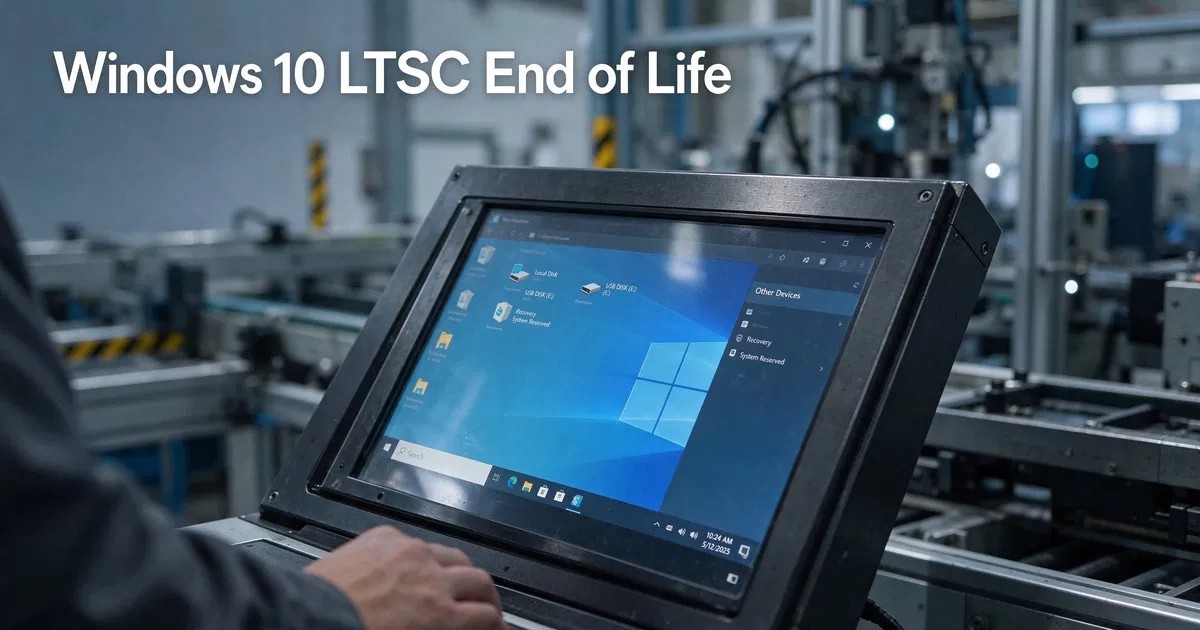
Short answer: Windows 10 LTSC does not share the October 2025 end date of regular Windows 10. Windows 10 Enterprise LTSC 2019 is supported until January 9, 2029, Enterprise LTSC 2021 until January 12, 2027, and IoT Enterprise LTSC 2021 until January 13, 2032. Older LTSB 2015 and 2016 releases are already out of support. LTSC receives security fixes only, never new features.
Windows 10 LTSC (Long-Term Servicing Channel) is the edition that keeps running on ATMs, medical carts, factory controllers and kiosks long after mainstream Windows 10 retired. Because each LTSC release has its own fixed lifecycle, “Windows 10 LTSC end of life” has a different answer for every version. This guide lists the exact dates, explains what LTSC is for, and helps you decide whether to stay, move to Windows 11 LTSC 2024, or switch to a regular edition.
Windows 10 LTSC and LTSB end-of-support dates
| Release | Based on version | End of support | Status in late 2026 |
|---|---|---|---|
| Windows 10 Enterprise LTSB 2015 | 1507 | October 14, 2025 | Out of support |
| Windows 10 Enterprise LTSB 2016 | 1607 | October 13, 2026 | Out of support |
| Windows 10 Enterprise LTSC 2019 | 1809 | January 9, 2029 | Supported (extended support) |
| Windows 10 IoT Enterprise LTSC 2019 | 1809 | January 9, 2029 | Supported |
| Windows 10 Enterprise LTSC 2021 | 21H2 | January 12, 2027 | Supported, ending soon |
| Windows 10 IoT Enterprise LTSC 2021 | 21H2 | January 13, 2032 | Supported |
| Windows 11 Enterprise LTSC 2024 | 24H2 | October 9, 2029 | Current LTSC release |
| Windows 11 IoT Enterprise LTSC 2024 | 24H2 | October 10, 2034 | Current IoT release |
Verify any date on Microsoft’s official Windows 10 Enterprise LTSC 2019 lifecycle page and the matching pages for other releases.
Why LTSC 2021 ends before LTSC 2019
This surprises many people. Microsoft gave LTSC 2019 the traditional ten-year lifecycle (five years mainstream plus five years extended). Starting with Enterprise LTSC 2021, Microsoft shortened the non-IoT LTSC lifecycle to five years. The IoT edition of LTSC 2021 kept a ten-year lifecycle because embedded devices are replaced less often. So a PC running the newer Enterprise LTSC 2021 loses support in January 2027, two years before an older LTSC 2019 machine.
What is Windows 10 LTSC?
LTSC is a specialized edition of Windows Enterprise designed for devices that must not change. Its main characteristics:
- No feature updates. A release stays on the same build for its whole life.
- Monthly security and quality updates until its end-of-support date.
- Stripped-down app set. No Microsoft Store and no inbox consumer apps such as Mail, Weather or Xbox. LTSC 2019 also ships without the modern Edge browser preinstalled; LTSC 2021 includes Chromium-based Edge.
- Volume licensing. LTSC is sold to organizations through Microsoft volume licensing and is intended for fixed-purpose devices.
Microsoft’s own guidance is clear: LTSC is not meant for general office PCs that run Office, browsers and frequently updated apps. Those should use the General Availability Channel (regular Windows 10 or 11).
Typical LTSC use cases
- Medical imaging stations and hospital equipment carts
- Manufacturing control systems and production-line PCs
- ATMs, point-of-sale terminals and self-service kiosks
- Air-traffic, laboratory and scientific instruments
- Digital signage that runs one application for years
In all of these, a surprise feature update could break validated software or certifications. LTSC removes that risk.
Windows 10 LTSC vs Windows 10 Pro vs Windows 11 Pro
| Aspect | Windows 10 LTSC 2019 | Windows 10 Pro 22H2 | Windows 11 Pro |
|---|---|---|---|
| Security updates | Until January 9, 2029 | Only with ESU, until October 12, 2027 | Ongoing with feature updates |
| Feature updates | Never | None (end of support) | Yearly |
| Microsoft Store | No | Yes | Yes |
| Hardware requirements | Older hardware supported | Older hardware supported | TPM 2.0, Secure Boot, newer CPU |
| Intended for | Fixed-purpose devices | General use | General use |
Regular Windows 10 support ended on October 14, 2025. Read our full guide to Windows 10 end of life for ESU and upgrade options.
Should you install LTSC on a normal PC to avoid Windows 10 end of support?
It is a common idea online, and it has real drawbacks:
- Licensing: LTSC is licensed for specialized devices through volume licensing. A home or general office PC is outside its intended use.
- App compatibility: without the Store and with an older build, some modern apps, games and drivers do not support LTSC.
- Office: current Microsoft 365 Apps are not supported on LTSC; Office LTSC versions are recommended instead.
- No new features: LTSC 2019 will never get features added after 2018.
For a general-purpose PC, Windows 11 Pro or Windows 10 ESU is usually the better path.
How to check which LTSC version you are running
- Press Win + R, type winver and press Enter.
- The dialog shows the edition (for example “Windows 10 Enterprise LTSC”) and the build: 17763 = LTSC 2019, 19044 = LTSC 2021, 14393 = LTSB 2016.
- To confirm activation, run slmgr /dli in an elevated Command Prompt, or see our guide on how to check if Windows is activated.
Your options when an LTSC release reaches end of support
Move to Windows 11 LTSC 2024
The natural successor for fixed-purpose devices, supported until October 2029 (Enterprise) or October 2034 (IoT). Requires Windows 11 compatible hardware.
Stay on Windows 10 LTSC 2019 until 2029
If your devices run LTSC 2019 and the vendor of your line-of-business software has not certified anything newer, staying put is legitimate. Plan migration before January 2029. Vaneyo offers a Windows 10 Enterprise LTSC 2019 license for organizations that need to license additional matching devices.
Plan for LTSC 2021’s January 2027 deadline
Enterprise LTSC 2021 devices have only weeks of support left. Test the replacement build now. The Windows 10 Enterprise LTSC 2021 product remains useful for labs reproducing an existing environment, but new deployments should target a release with a longer runway.
Switch to a regular edition
If the device is really a general-purpose PC, move it to Windows 11 Pro and benefit from yearly features and normal app support.
Mainstream vs extended support: what changes for LTSC 2019
Windows 10 LTSC 2019 moved from mainstream to extended support on January 9, 2024. In practice that means:
- Security updates continue every month until January 9, 2029.
- Non-security fixes (for example bug fixes that are not security related) are generally no longer produced, except in limited cases.
- Complimentary support incidents and design-change requests are no longer available.
For a stable kiosk or controller, this is usually fine, because the device was frozen on purpose. What matters is that the monthly security patches keep arriving.
A migration plan you can follow
- Inventory every LTSC device. Record its build number (from winver), its role, the software it runs and the vendor certification required.
- Group devices by deadline. Enterprise LTSC 2021 devices (January 2027) come first, then LTSC 2019 (January 2029).
- Ask each software vendor which Windows release they certify. Medical and industrial vendors often publish a support matrix.
- Check hardware against Windows 11 requirements. Devices without TPM 2.0 or a supported CPU will need replacement rather than an in-place move to Windows 11 LTSC 2024.
- Pilot on a small group, validate the line-of-business application, then roll out in waves.
- Isolate anything you must keep past its end date. Remove internet access, restrict USB use and place the device on a segmented network.
Licensing LTSC correctly
LTSC is part of Windows Enterprise and is normally licensed through Microsoft volume licensing, often with Software Assurance or a Windows Enterprise subscription. IoT Enterprise LTSC is licensed to device makers (OEMs) and ships preinstalled on embedded hardware. When you add devices to an existing LTSC fleet, match the release and edition exactly so images, drivers and activation behave consistently. Keep proof of licensing with your asset records; auditors ask for it, especially in regulated industries.
Common mistakes
- Assuming every Windows 10 version ended in October 2025. LTSC releases have their own dates.
- Assuming LTSC 2021 lasts longer than LTSC 2019. The non-IoT edition does not.
- Using LTSC on gaming or creative PCs and then fighting driver and app issues.
- Forgetting that end of support still means no patches. Isolate any device you keep past its date.
Final takeaway
Windows 10 LTSC is still alive in late 2026, but the clock depends on the release: LTSC 2019 runs to January 2029, Enterprise LTSC 2021 stops in January 2027, and IoT LTSC 2021 lasts until 2032. Use LTSC only where a device must stay frozen, and keep everything else on a supported general edition.
Frequently asked questions
When does Windows 10 LTSC 2019 reach end of life?
Windows 10 Enterprise LTSC 2019 and IoT Enterprise LTSC 2019 are supported until January 9, 2029. Mainstream support ended in January 2024, and the release now receives security updates under extended support.
When does Windows 10 LTSC 2021 end?
Windows 10 Enterprise LTSC 2021 reaches end of support on January 12, 2027. Windows 10 IoT Enterprise LTSC 2021 has a longer lifecycle and is supported until January 13, 2032.
Is Windows 10 LTSC affected by the October 2025 Windows 10 end of support?
No. LTSC releases follow the Fixed Lifecycle Policy with their own end dates. Only the regular Windows 10 editions, version 22H2, ended support on October 14, 2025.
Can I use Windows 10 LTSC on a home PC?
LTSC is licensed through volume licensing for specialized, fixed-purpose devices. For a home or general office PC, Windows 11 Pro or Windows 10 with Extended Security Updates is the more appropriate choice.
What replaces Windows 10 LTSC?
Windows 11 Enterprise LTSC 2024 and Windows 11 IoT Enterprise LTSC 2024 are the current LTSC releases, supported until October 2029 and October 2034 respectively.