
Office 2024 Professional Plus is the one-time-purchase edition of Microsoft’s office suite: you buy a licence once, activate it with a 25-character product key, and use it permanently on that PC — no subscription, no monthly fee. It is also the edition that confuses buyers most, because Microsoft does not sell it on a retail shelf, its app list changed from Office 2021, and the pricing you see across the internet ranges from over two hundred dollars to under twenty. This guide explains exactly what Office 2024 Professional Plus includes, what it should cost, how to download and install it cleanly, and how to fix the activation errors people actually hit.
What Office 2024 Professional Plus actually is
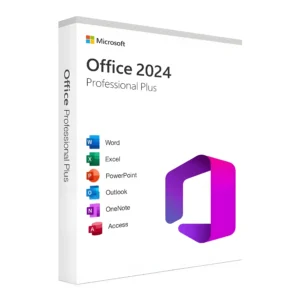
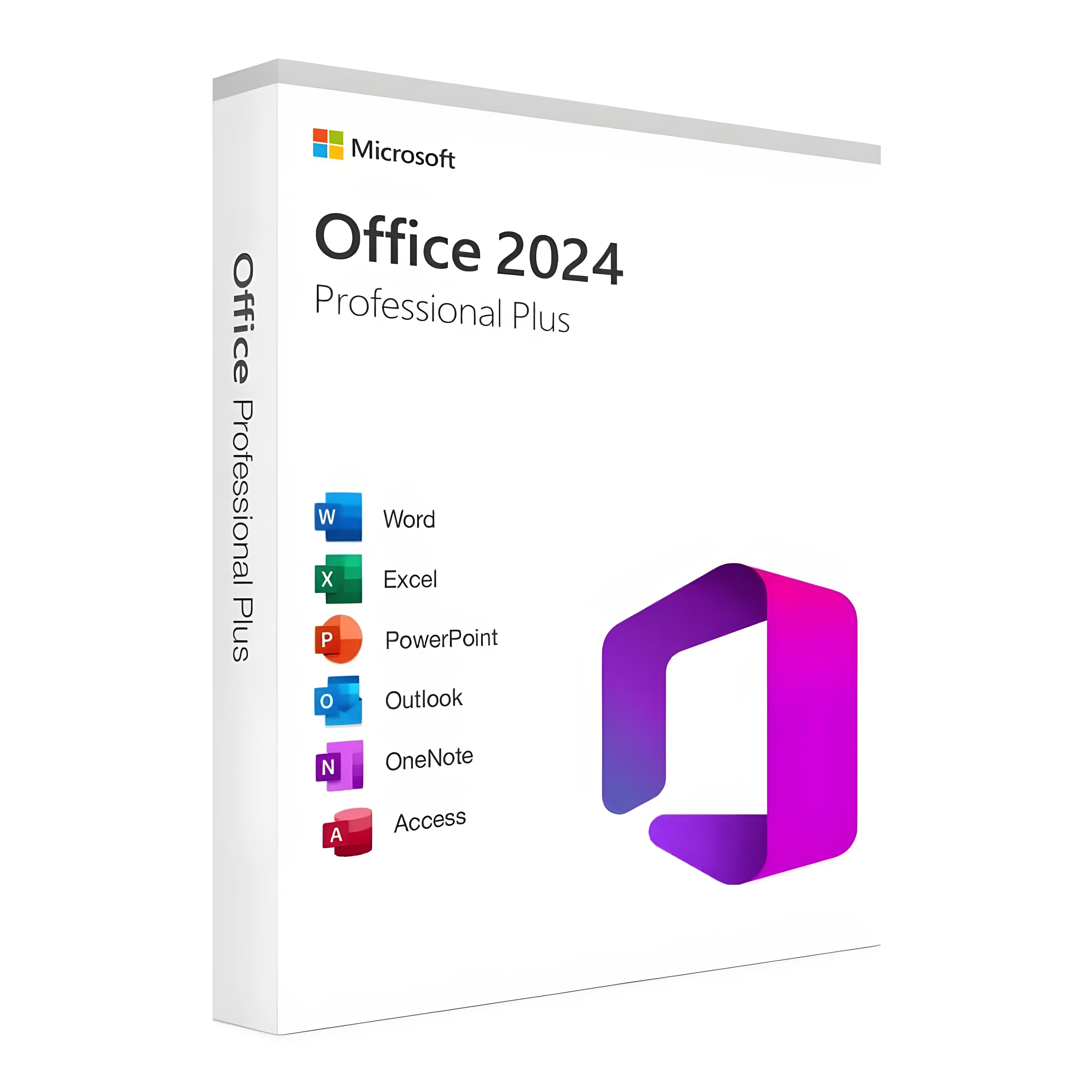
Professional Plus is the top perpetual edition of Office 2024 — Microsoft’s name for it internally is Office LTSC Professional Plus 2024 (Long-Term Servicing Channel). Released on 1 October 2024, it includes:
- Word, Excel, PowerPoint — the core three
- Outlook — the classic desktop client, not the new web-based Outlook
- OneNote and Access — note-taking and databases
- Skype for Business as an optional install during setup
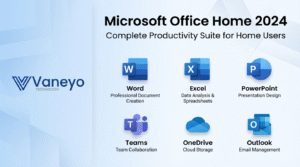
Two things are deliberately missing, and knowing them saves you a support ticket. Publisher is gone — Microsoft is retiring it entirely (support ends October 2026), so no Office 2024 edition includes it. And Teams is not bundled; it is a separate free download. If a listing claims Office 2024 Pro Plus “with Publisher”, the listing is wrong about the product — treat that as a red flag for everything else it says.
The defining trait of the whole package: it is a one-time purchase. Unlike Microsoft 365, nothing expires on a calendar. You get the 2024 feature set frozen in time, with security updates until the end of support.
What’s new compared with Office 2021
Honest answer: this is an evolution, not a revolution — which is normal for perpetual releases. The notable changes:
- OpenDocument Format 1.4 support in Word, Excel and PowerPoint — better fidelity when exchanging files with LibreOffice users
- Newer add-in APIs across Excel, Outlook and PowerPoint — modern add-ins that refused to load on 2021 work here
- ActiveX controls disabled by default — a genuine security improvement; old internal tools that rely on ActiveX need a policy change to run
- “Publish to Power BI” removed from Excel — Microsoft now routes that workflow through the Power BI service
- Performance and stability work throughout, plus refreshed default themes
The bigger argument for 2024 over 2021 is not features — it is the calendar, covered in the upgrade section below.
Office 2024 editions compared
| Professional Plus 2024 | Home & Business 2024 | Home 2024 | Microsoft 365 | |
|---|---|---|---|---|
| Licence type | One-time purchase (volume channel) | One-time purchase (retail) | One-time purchase (retail) | Subscription |
| Word / Excel / PowerPoint | ✔ | ✔ | ✔ | ✔ |
| Outlook (classic) | ✔ | ✔ | — | ✔ |
| Access | ✔ | — | — | ✔ (PC) |
| OneNote | ✔ | ✔ | ✔ | ✔ |
| Commercial use | ✔ | ✔ | — | Plan-dependent |
| Microsoft list price | Not sold retail by Microsoft | $249.99 | $149.99 | from $69.99/year |
| Support until | 10 Oct 2029 | 10 Oct 2029 | 10 Oct 2029 | While subscribed |
The pattern to notice: Access and full commercial use only come together in Professional Plus — and Professional Plus is the one edition Microsoft’s own store won’t sell you as a boxed consumer product. That combination is exactly why the reseller market for it exists.
Is Office 2024 Professional Plus a lifetime licence?
Yes, in the sense people mean when they ask: you pay once and the software keeps working indefinitely on that PC. There is no renewal, no subscription lapse, no locked files after a year.
The precise version is worth knowing too. Microsoft supports Office 2024 with security updates until 10 October 2029 under its Modern Lifecycle Policy. After that date the applications continue to run — your documents do not stop opening — but security patches end, which matters most for Outlook, since email is where malicious files arrive. Plan on 2029 being the sensible end of its safe life on an internet-connected machine, and treat anything you read about “expiring licences” as a confusion with Microsoft 365 subscriptions.
One more nuance: the licence is per device. A one-PC key activates one PC. Whether it can later move to a different PC depends on the licence channel — Retail keys generally can be transferred after deactivating the old machine, volume/OEM-style keys generally cannot. Ask the seller which type you are buying before you pay; it is the single most useful pre-purchase question.
How much Office 2024 Professional Plus costs — and where to buy it
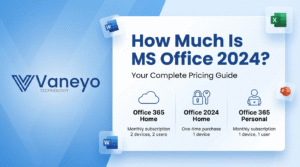
Microsoft’s consumer prices are fixed: $149.99 for Home, $249.99 for Home & Business. Professional Plus is different — Microsoft distributes it through the commercial/volume channel, not its retail store, so the price you pay depends entirely on where you buy:
- Volume licensing / CSP resellers sell it to businesses, typically at $200+ per seat with agreement paperwork.
- Specialist key stores resell single Professional Plus licences at a fraction of that — commonly $15–30, delivered by email within minutes. The wide gap comes from regional pricing and secondary-market licensing, which has been legal in the EU since the Court of Justice ruled on it in 2012 (UsedSoft v Oracle).
If you go the key-store route, the checklist matters more than the price tag: the product page should state the licence type and activation count, delivery should be instant with an order record, and there should be a support address that answers. You can buy an Office 2024 Professional Plus product key with lifetime one-PC activation from stores that meet that bar; wherever you buy, keep the delivery email — it is your proof of licence and your reinstall kit in one.
A price sanity-check while you compare: anything above $250 for a single Pro Plus seat is paying volume-agreement prices without the agreement, and anything sold as “Office 2024 with Publisher” or “Office 2024 lifetime subscription” is describing a product that does not exist. Stores like flixeasy.com list each Office edition on its own page with the licence terms stated, which is the format that makes comparison actually possible.
Office 2024 Professional Plus download and installation
Always install from Microsoft’s own servers. A legitimate key seller gives you a key and points you at Microsoft’s installer — anyone insisting you run their installer .exe is someone to walk away from.
- Uninstall previous Office versions first. Side-by-side perpetual installs are the number-one cause of activation weirdness. Use Settings → Apps, or Microsoft’s Office uninstall support tool for a scorched-earth removal.
- Download the installer. For keys tied to a Microsoft account, sign in at account.microsoft.com/services and download from there. For LTSC-channel keys, the seller should provide Microsoft’s Office Deployment Tool configuration — the files still come from Microsoft’s CDN.
- Run setup and wait for it to finish completely. The download is several gigabytes; on slow connections let it run rather than restarting it.
- Open Word or Excel once installation ends. You will be prompted for your product key on first launch.
- Restart once after activation. Not strictly required, but it flushes the licensing cache and avoids the phantom “Unlicensed Product” banner some machines show on first boot.
Microsoft documents the deployment specifics — channels, the deployment tool, image-based installs — in its Office LTSC 2024 overview, which is the authoritative reference if you are rolling this out to more than one machine.
Activating your Office 2024 key
Enter the 25-character key when Word or Excel asks for it. In the normal case, online activation completes in seconds and you never think about it again. You can confirm the licence state at any time from an elevated Command Prompt:
cscript "C:\Program Files\Microsoft Office\Office16\ospp.vbs" /dstatus— which prints the licence name, the channel, the last five characters of the installed key, and whether the machine is LICENSED or sitting in a grace period. It is the fastest way to tell a licensing problem from an installation problem.
When online activation fails — offline machine, corporate proxy, a reinstall after a hardware change — Office offers telephone activation. Choose it, pick any country, and the wizard shows an Installation ID: nine groups of digits labelled A to G. The traditional path is reading those digits to Microsoft’s automated phone line and typing back the Confirmation ID it dictates. The faster path is a free web-based Confirmation ID generator that performs the same exchange in the browser and returns the same CID the phone robot would. Paste it into the wizard, click Activate, and the licence binds permanently to that machine. Either way, type the Installation ID digits by hand — OCR from screenshots misreads 8s and Bs often enough to matter.
Office 2024 vs Office 2021: should you upgrade?
If you already run Office 2021 happily, the feature list alone will not move you. The calendar might: Office 2021 support ends on 13 October 2026 — barely a year away — while Office 2024 is patched until October 2029. For a machine that handles email and downloaded documents, three extra years of security updates is the entire argument, and it is a good one.
If you only need one or two applications rather than the full suite — just Excel, just Word, or Visio and Project which are sold separately — buying standalone apps is meaningfully cheaper than any suite. Single-app licences are a speciality of the Flixeasy key store, and the same buying rules apply: licence type stated, instant email delivery, a support address that answers. For everyone else, the suite decision reduces to: need Access or commercial use → Professional Plus; home machine for documents → Home; email included but no Access → Home & Business.
Common Office 2024 errors and what they mean
“UNLICENSED PRODUCT” banner after successful activation. Usually a stale licensing token rather than a dead key. Restart once; if it persists, run the ospp.vbs /dstatus check above — if it says LICENSED, sign out and back into the Office apps and the banner clears.
Error 30015-11 or 30088-26 during installation. Installer conflicts — almost always leftovers of a previous Office. Run Microsoft’s Support and Recovery Assistant (SaRA) or the offscrub removal, restart, reinstall.
“This product key has already been used.” The key hit its activation limit. On a fresh key this means contact the seller with your order number — reputable stores replace it without argument. On your own old key it means the licence is still bound to another installation that needs deactivating first.
0x80070005 during activation. Permissions, not licensing. Run the Office app elevated once (right-click → Run as administrator) and activate again.
0x4004F00C / grace-period messages. Office installed with no key or a generic key and is counting down. Enter your real product key under File → Account → Change Product Key.
Key rejected as invalid immediately. Check you are entering it into the right product. An Office 2021 key does not activate Office 2024 and vice versa; a Home & Business key does not activate Professional Plus. The key and the installed edition must match exactly.
System requirements (and the machines it won’t run on)
Office 2024 requires Windows 10 or Windows 11 — it does not install on Windows 8.1 or earlier, which catches out owners of older machines who last bought Office a decade ago. Beyond that the bar is low: 4 GB of RAM, about 5 GB of free disk space, and any processor from the last ten years runs it comfortably. Both 32-bit and 64-bit builds exist; 64-bit installs by default and is the right choice unless you depend on ancient 32-bit COM add-ins, in which case install 32-bit deliberately rather than discovering the conflict later.
Worth flagging for planners: Windows 10 itself left free support in October 2025. Office 2024 still installs and runs on it, but a machine collecting Office patches until 2029 while its operating system collects none is a lopsided arrangement — if the hardware supports Windows 11, pairing the new Office with the supported Windows is the coherent setup.
Professional Plus or Microsoft 365: a decision in three questions
Do you need the cloud? Microsoft 365 includes OneDrive storage, always-current features, and installs on multiple devices per user. Professional Plus is one PC, offline-first, feature-frozen. People who live in shared cloud documents belong on the subscription; people who write, calculate and email on one machine do not.
How long will you use it? The arithmetic is blunt. Microsoft 365 Personal at $69.99/year costs about $350 over the five supported years of Office 2024. A one-time Professional Plus licence — even at Microsoft-adjacent volume pricing, let alone reseller pricing — costs a fraction of that for the same five years of Word, Excel and Outlook.
Do you need Access or commercial rights? If yes, the consumer editions are out and the choice is Professional Plus versus a business Microsoft 365 plan — at which point the one-time purchase is usually the cheaper of the two by a wide margin.
There is no universally right answer, but there is a universally wrong one: paying for a subscription whose cloud features you never open. That is the specific mistake the perpetual editions exist to prevent.
How to check a key seller before you pay
The Professional Plus market has excellent value and genuine junk sitting side by side, and the difference is checkable in five minutes. Before paying anyone, look for four things. First, the licence type in writing on the product page — Retail or volume-sourced, one PC or more, transferable or not. A seller who hides this answers support tickets the same way. Second, instant delivery with an order record — the key should arrive by email in minutes, attached to an order number you can cite later. Third, a reachable support address — send a pre-sales question and see whether a human answers within a day; that response time is what you will get when an activation fails. Fourth, a replacement policy for failed keys stated anywhere at all — the honest stores replace already-used keys against the order number without a fight, because at their prices the goodwill costs less than the argument.
Price is the least useful signal on its own. A $18 Pro Plus key from a store that passes those four checks is a better purchase than a $90 one from a store that fails them — the extra $72 buys nothing but a different logo on the same licence pool.
Installing on more than one PC
Buying for an office rather than a single machine changes the mechanics slightly. Each PC needs its own licence — one key per seat, or a multi-activation volume key sold for exactly that purpose. For the installation itself, Microsoft’s Office Deployment Tool lets you download the installer once and push the same configuration to every machine, which on a ten-PC office saves nine multi-gigabyte downloads and guarantees identical builds. Activation then happens per machine with each seat’s key, and the ospp.vbs /dstatus check works the same everywhere for verifying the fleet afterwards. Keep a plain spreadsheet of which key went to which PC — the day a machine dies and its licence needs recovering, that list is the difference between a two-minute fix and an archaeology project.
Frequently asked questions
How much is Office 2024?
Direct from Microsoft: $149.99 (Home) or $249.99 (Home & Business). Professional Plus is not sold retail by Microsoft; through key resellers it typically runs $15–30 for a single-PC lifetime licence.
Is Microsoft Office 2024 a lifetime licence?
Yes — one payment, permanent use on the licensed PC. Security updates run until 10 October 2029; the software keeps working after that date.
Does Office 2024 include Publisher?
No edition of Office 2024 includes Publisher. Microsoft is retiring Publisher entirely — it is not in the 2024 suite and its own support ends in October 2026.
Can I still buy Office 2021 instead?
Yes, and it is cheaper — but its support ends 13 October 2026, so you are buying at most a year of patched life. For anything long-term, 2024 is the sensible perpetual choice.
Is there an Office 2024 Professional Plus for Mac?
No. Professional Plus is Windows-only. Mac users get Office Home 2024 or Home & Business 2024 — or Microsoft 365, which covers both platforms.
How many computers does one key activate?
The standard licence is one PC. Multi-PC listings are bundles of multiple keys. One key never activates two machines simultaneously.
Can I move my licence to a new computer later?
Retail-channel licences generally yes, after removing Office from the old machine. Volume and OEM-style licences generally no. This is set by the key type you buy, so ask before purchase.
Do I need a Microsoft account?
For account-linked retail keys, yes — and it is worth linking anyway, since the account is what makes reinstalls painless. LTSC-channel installs can activate without one.
Will Office 2024 get new features over time?
No — that is the deal with perpetual licences. It receives security and stability fixes only. New features ship to Microsoft 365 subscribers.
Can Office 2024 and Microsoft 365 be installed on the same PC?
Officially unsupported and practically messy — the two fight over file associations and licensing. Pick one per machine.
Does Office 2024 work fully offline?
Yes — after activation it needs no internet at all. Activation itself wants one brief connection, or the telephone/Confirmation-ID route handles even that offline.
What happens after support ends in 2029?
The apps keep running and your files keep opening. Updates stop. At that point you either keep using it accepting the risk, or buy whatever perpetual edition exists then — the same decision Office 2016/2019 owners faced before you.
The short version
Office 2024 Professional Plus is the full one-time-purchase suite — Word, Excel, PowerPoint, Outlook, OneNote and Access, no Publisher, no subscription — supported by Microsoft until 10 October 2029. Microsoft sells the consumer editions at $149.99 and $249.99 but does not retail Professional Plus at all, which is why single licences at $15–30 exist through the key-reseller market. Install only from Microsoft’s servers, match the key to the exact edition, verify activation with ospp.vbs /dstatus, and if online activation refuses, the telephone route with a Confirmation ID finishes the job without an actual phone call. Buy from a store that states the licence type and answers its email, keep the delivery message, and a one-time purchase is exactly what it says — paid once, activated once, working for years.
Microsoft’s official lifecycle dates for Office 2024 are published on its product lifecycle page.